
The Compositor is a simple workflow action with 2 purposes and absolutely nothing to configure.
It's mere presence is all that's required for a workflow to use it.
Here's a look at it:
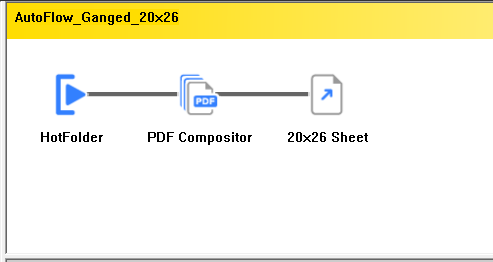
The two tasks the compositor performs:
- Joins multiple input PDFs coming from the Job Submission Utility.
- Makes workflows available to the Job Submission Utility.
Let's discuss those in more detail.
Joins multiple input PDFs
The compositor's chief job is to join multiple input PDFs from the Job Submission Utility into a single job to be imposed together, with only the desired pages included.
Example case: You use page 1-16 from Job1 and send out a proof that the customer rejects. They send back a replacement for page 3 in the form of a 1 page PDF called Job1-page3. Now your job uses 15 pages from Job1, and 1 page from Job1-page3. The compositor sorts all of that out and delivers them in the correct order to the imposition engine. It needs zero configuration to do this job. It just needs to be in the workflow and then it knows what to do when presented with a list of PDFs and page numbers and page orders.
Here is a look at how late-page replacement looks in the Job Submission UI:
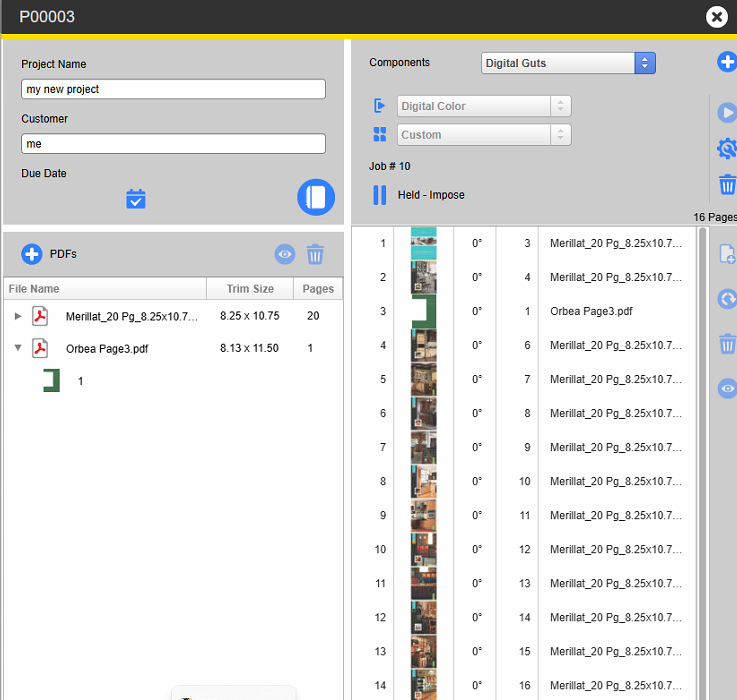
Here we see a 16 page imposition where page 3 is NO LONGER coming from the Merillat job. It is now coming from a single page PDF. You can see in the right column where page 3 is coming from that single page PDF called Orbea. The compositor assembles the chosen pages, in the chosen order, and leaves the replaced pages behind when submitting the imposition.
Makes workflows available to the Job Submission Utility
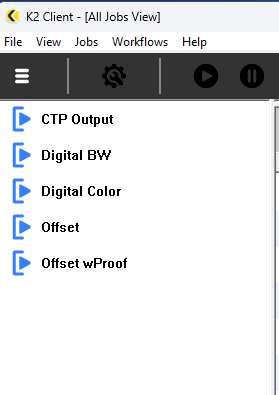
Take a look at the 5 workflows below.
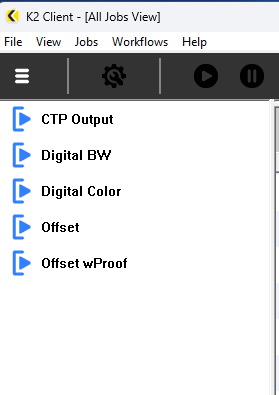
The first one doesn't need the Job Submission UI because it is repeat work with a known configuration and just runs through to plate without intervention. The other 4 workflows are all hooked into the Job Submission Utility.
Here is my first workflow:
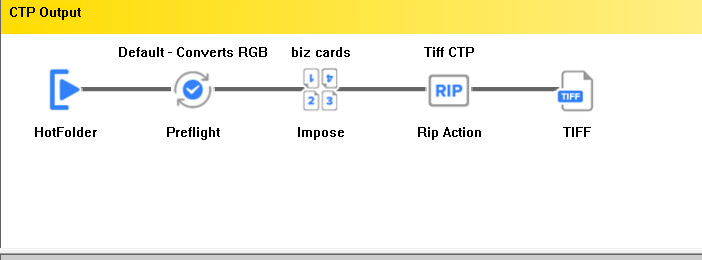
There are no pauses and nobody touches it unless the Preflight Action returns a failure or an error occurs. It goes through directly to plate without being touched. We get the jobs each as a single PDF. So you don't need to see this in the Job Submission UI.
The other four workflows all look like variations on this:
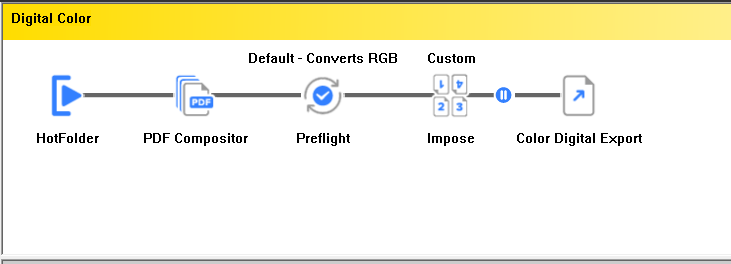
The thing to note for this discussion is the presence of the Compositor, right after the hotfolder step.
Remember this list of workflows from a few inches up?
Here is how it looks from inside the Job Submission UI:
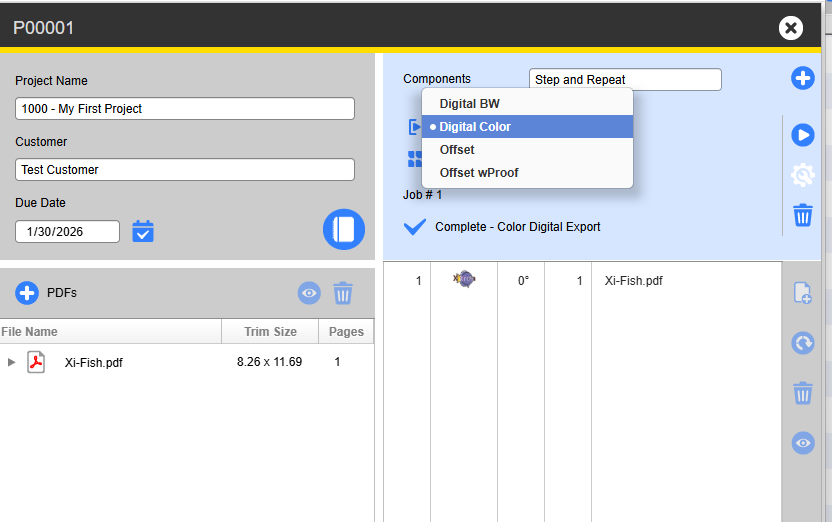
The reason the first workflow (CTP Output) is not there is because the Compositor is not there in the first workflow.
Read about the Job Submission Utility.