
A short example of how this works might be quicker...
... and the primary Trapping documentation is here.
__________________________________________________________________________________________________________________________
When Trap Direction is set to Always to Darkest, the trapper always places the trap into the darker of the two touching objects. It does not try to choose the least-visible side. Whether a trap is created is controlled by Minimum Color Difference. Whether that trap is acceptable or too visible is controlled separately by Visible Limit. In this article, Visible Limit is set to 55% and Trap Direction is Always to Darkest.
What these settings do
Trap Direction = Always to Darkest
This setting controls which side receives the trap. The trap is placed into the darker object. It does not decide whether the trap is allowed.
Minimum Color Difference
This setting controls how different two touching colors must be before a trap is created. Lower values allow more edges to qualify. Higher values are more selective.
Visible Limit
This setting controls whether a trap is considered acceptable or too visible. It does not decide trap direction, and it does not decide which edges qualify in the first place.
Sample file used in this example
(PDF: Spot Colors - Eagle Logo.pdf, attached to this article)
This article uses the sample PDF Spot Colors - Eagle Logo.pdf. The file contains four paint values:
- PANTONE 195 C at 100%
- PANTONE 121 C at 50%
- PANTONE 121 C at 100%
- 100% Black (K)
For this file, the practical darkness order is:
- Black
- PANTONE 195 C 100%
- PANTONE 121 C 100%
- PANTONE 121 C 50%
That means the trap direction is:
- 121 50% into 121 100%
- 121 50% into 195
- 121 100% into 195
- 121 50% into black
- 121 100% into black
- 195 into black
Why does this example use an Ink-Based mode
For this sample file, Ink-based mode gives the clearest and most predictable result because it is based directly on separation differences. In this mode, a trap is created when there is enough difference in at least two separations, in both directions. That makes it possible to say exactly which pairs qualify at each setting in this example.
Key takeaway from this sample
In this file, increasing Minimum Color Difference does not change the result gradually.
- From 5% through 50%, the same set of trapping pairs qualifies.
- The first actual change happens at 55%.
- At 55% and above, two pairs drop out:
- 195 ↔ 121 at 50%
- 121 at 50% ↔ Black
- 121 at 50% ↔ 121 at 100% never traps in ink-based mode, because only one separation changes.
Table: Minimum Color Difference vs. Trapping Behavior
| Minimum Color Difference | What edges become eligible to trap | Practical effect with Visible Limit = 55% |
|---|---|---|
| 0% | Broadest possible setting; any detected abutting colored edge can qualify | Most permissive. Many edges may trap. Any trap at or below 55 is acceptable; any above 55 is considered visible/inadequate. |
| 5% | Edges with at least 5% qualifying difference | Very broad trapping. For this sample file, the same pairs qualify here as they do at 10% through 50%. |
| 10% | Edges with at least 10% qualifying difference | Broad trapping. This is the documented IntelliTrap default. |
| 15% | Edges with at least 15% qualifying difference | Slightly more selective, though in this sample file the qualifying set still does not change. |
| 20% | Edges with at least 20% qualifying difference | Low-contrast edges begin to matter more in general, but this sample still behaves the same. |
| 25% | Edges with at least 25% qualifying difference | Moderate selectivity. No change yet in this sample file. |
| 30% | Edges with at least 30% qualifying difference | Only moderate-and-up differences qualify in general. Still no change in this sample. |
| 35% | Edges with at least 35% qualifying difference | Subtle differences are less likely to qualify. This sample still behaves the same. |
| 40% | Edges with at least 40% qualifying difference | Stronger contrast required. No change yet in this sample. |
| 45% | Edges with at least 45% qualifying difference | Only clearly different touching colors qualify in general. This sample still behaves the same. |
| 50% | Edges with at least 50% qualifying difference | High threshold, but this sample still keeps the same qualifying set as 5% through 45%. |
| 55% | Edges with at least 55% qualifying difference | First actual change in this sample. The 195 ↔ 121(50) and 121(50) ↔ Black pairs no longer qualify. |
| 60% | Edges with at least 60% qualifying difference | Same result as 55% in this sample. Only the stronger differences remain. |
| 65% | Edges with at least 65% qualifying difference | Very selective. Same remaining qualifying pairs in this sample. |
| 70% | Edges with at least 70% qualifying difference | Only strong differences qualify. Same result as 55%+ in this sample. |
| 75% | Edges with at least 75% qualifying difference | Very selective. No additional change in this sample. |
| 80% | Edges with at least 80% qualifying difference | Near-extreme-only trapping. Same remaining pairs in this sample. |
| 85% | Edges with at least 85% qualifying difference | Extremely selective. No additional change in this sample. |
| 90% | Edges with at least 90% qualifying difference | Only the strongest differences qualify. Same remaining pairs in this sample. |
| 95% | Edges with at least 95% qualifying difference | Almost nothing qualifies except the most extreme cases. Same remaining pairs in this sample. |
| 100% | Only edges meeting a full 100% qualifying difference | Most restrictive setting. In this sample, the same strongest pairs still remain. |
What actually traps in this sample file
For this specific PDF in ink-based mode:
From 5% through 50%
These pairs qualify to trap:
- 195 ↔ 121 at 50%
- 195 ↔ 121 at 100%
- 195 ↔ Black
- 121 at 50% ↔ Black
- 121 at 100% ↔ Black
From 55% through 100%
These pairs qualify to trap:
- 195 ↔ 121 at 100%
- 195 ↔ Black
- 121 at 100% ↔ Black
This pair never traps in this example
- 121 at 50% ↔ 121 at 100%
Because the trap direction is Always to Darkest, those traps go into the darker object whenever the pair qualifies:
- Into Black for any qualifying pair that touches black
- Into PANTONE 195 for qualifying pairs where 195 is darker than the other touching object
- Into PANTONE 121 at 100% for the 121 50% vs 121 100% pair, if that pair ever qualified — which it does not in this ink-based example.
What Visible Limit = 55% does
With Visible Limit set to 55%, the trapper still uses Minimum Color Difference to decide whether an edge qualifies. Visible Limit only decides whether the resulting trap is considered good or too visible.
That means:
- If an edge does not meet Minimum Color Difference, no trap is created.
- If it does meet Minimum Color Difference and the trap stays within the Visible Limit, it is treated as a good trap.
- If it doesmeet Minimum Color Difference but exceeds the Visible Limit:
- it is still created if Trap even when trap is inadequate is ON
- it is not created if that option is OFF.
What happens if you raise or lower Visible Limit
If you increase Visible Limit
More qualified traps will be treated as acceptable. This is most noticeable on higher-contrast edges, which are the most likely to be flagged as visible.
If you decrease Visible Limit
More qualified traps will be treated as visible or inadequate. If Trap even when trap is inadequate is turned off, fewer of those traps will actually be created.
For this sample, the useful edge areas are:
- Area B: 195 touching Black — always traps
- Area C: 195 touching 121 at 100% — always traps
- Area D: 121 at 50% touching Black — drops out above 50%
- Area E: 195 touching 121 at 50% — drops out above 50%
- Area F: 121 at 50% touching 121 at 100% — never traps in this ink-based example
| Minimum Color Difference | Edge areas that will trap | Edge areas that will not trap | Visual Examples | What this setting shows |
|---|---|---|---|---|
| 5% | Area B – 195 touching Black | Area C – 195 touching 121 at 100% | Area D – 121 at 50% touching Black | Area E – 195 touching 121 at 50% | Area F – 121 at 50% touching 121 at 100% | Area B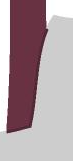 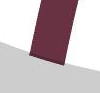 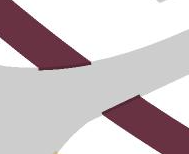 Area D Area D   | Broadest practical trapping state in this sample. All qualifying edges are active except the one-separation tint-to-tint edge. |
| 25% | Area B, Area C, Area D, Area E | Area F | Area B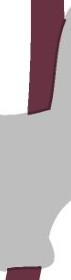 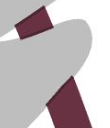  Area D Area D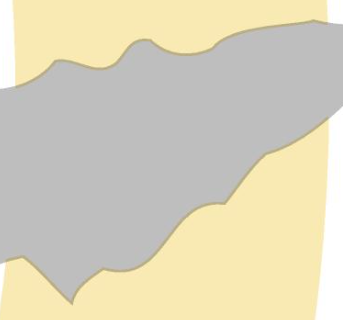  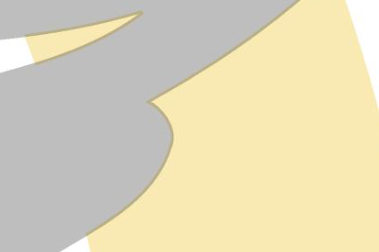 | Same visible trapping result as 5%. This helps show that increasing the value does not always change the result right away. |
| 50% | Area B, Area C, Area D, Area E | Area F | Area B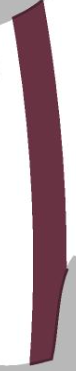 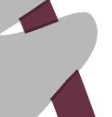  Area D  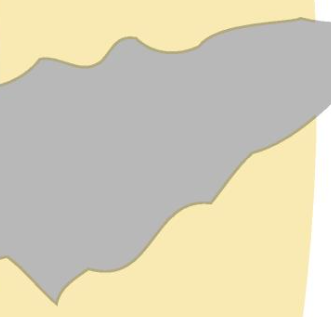  | Last setting before anything changes in this sample. |
| 55% | Area B – 195 touching Black | Area C – 195 touching 121 at 100% | Area D – 121 at 50% touching Black | Area E – 195 touching 121 at 50% | Area F – 121 at 50% touching 121 at 100% | Area B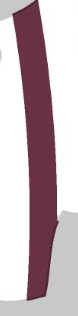   Area D Area D   | First breakpoint. The pairs that depend on a 50% separation difference no longer qualify above this point. |
| 75% | Area B, Area C | Area D, Area E, Area F | Area B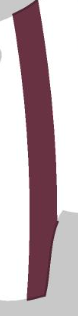   Area D Area D   | Same result as 55%. No additional change. |
| 100% | Area B, Area C | Area D, Area E, Area F | Area B   Area D Area D   | Most restrictive setting shown. Same remaining set as 55% and 75%. |
Practical recommendation
For this sample file, Minimum Color Difference has a threshold effect, not a gradual one:
- 5% to 50% all produce the same result
- 55% and higher remove the pairs that depend on a 50% separation difference
- Visible Limit does not decide which pairs qualify; it only affects whether a qualifying trap is acceptable or too visible.
If your goal is to reduce trapping on lighter transitions, increase Minimum Color Difference. If your goal is to keep qualified traps from being rejected as too visible, adjust Visible Limit instead.